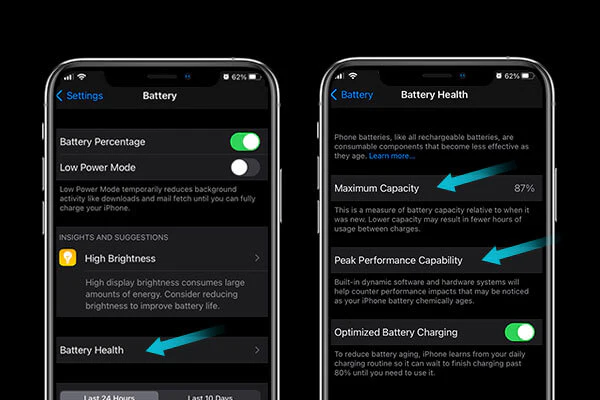
iPhone Battery, Let’s be real for a second: there is nothing quite as anxiety-inducing as diving into your iPhone settings, tapping on “Battery,” and seeing that the dreaded “Maximum Capacity” percentage has dropped another point. You swore it was at 98% last week, and now it’s sitting at 96%. It feels personal. It feels like you’ve done something wrong.
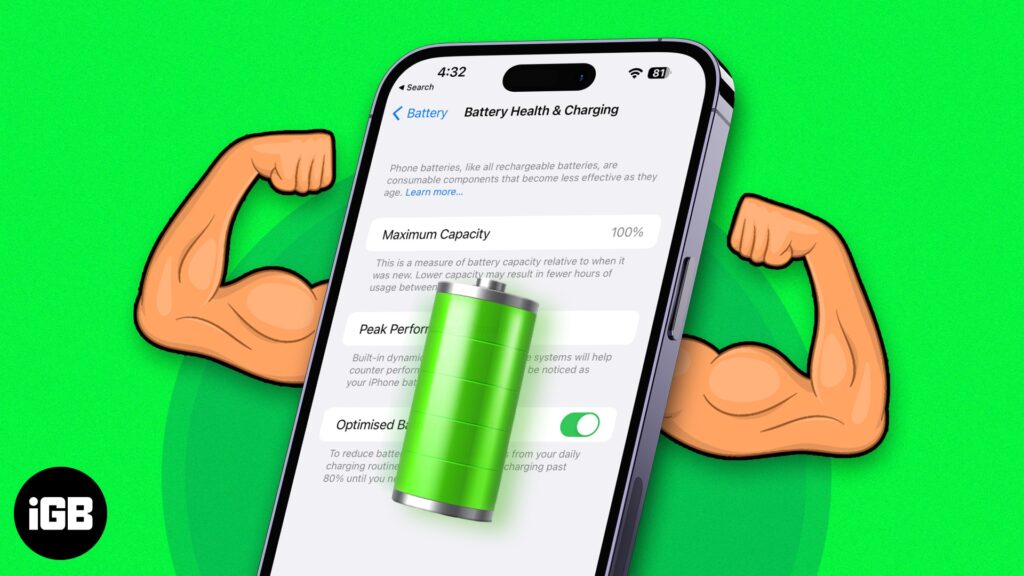
If you’re watching your battery health nosedive faster than you expected, you aren’t crazy, and you certainly aren’t alone. Whether you’re rocking a brand-new iPhone 16 or holding onto your trusty iPhone 13, the struggle is universal.
But here’s the thing—battery health isn’t just a random number generator. It’s based on chemistry and physics. While you can’t stop time, you can definitely stop the bad habits that are aging your phone prematurely. In this deep dive, we are going to look at exactly why your battery is degrading and, more importantly, the practical, no-nonsense steps you can take to stop the bleeding.
Part 1: The Science of the Drop (Why is this happening?)
To fix the problem, you have to understand the beast you’re dealing with. Apple uses Lithium-ion technology. It’s the best we have right now because it charges fast and lasts a long time, but it has a fatal flaw: it is volatile.
1. The Inevitable Chemical Aging
Think of your iPhone battery like a brand-new kitchen sponge. When you first buy it, it holds a ton of water. But after you’ve squeezed it out (discharged it) and soaked it up (charged it) a few hundred times, the fibers start to break down. It just can’t hold as much water as it did on day one.
This is “Chemical Aging.” Every time you complete a charge cycle (using 100% of your battery’s capacity, whether in one go or over a few days), the chemical integrity of the battery degrades slightly. Apple rates their batteries to hold about 80% of their original capacity after 500 complete cycles. If you are a heavy user, you might hit those 500 cycles in just over a year.
2. The Heat Factor (Public Enemy No. 1)
If there is one thing you take away from this guide, let it be this: Heat kills batteries.
Lithium-ion batteries operate comfortably between 0°C and 35°C (32° to 95° F). Once you go above that, the chemical reaction inside the battery becomes aggressive, permanently damaging the internal structure.
You might be overheating your phone without realizing it:
- The Dashboard Bake: Leaving your phone mounted on your car dashboard while using GPS in direct sunlight is a death sentence for battery health. The sun beats down, the GPS chip generates heat, and the battery cooks.
- Gaming While Charging: We’ve all done it. You’re in the middle of a match in COD Mobile or Genshin Impact, and your battery hits 10%. You plug it in and keep playing. The phone gets hot to the touch. That heat is rapidly degrading your maximum capacity.
3. The “Fast Charging” Dilemma
Fast charging is a miracle of modern convenience. Plugging your phone into a 30W brick and getting 50% battery in 30 minutes feels like magic. But speed comes at a cost.
Fast charging works by pushing a massive amount of current into the battery very quickly. This process generates—you guessed it—heat. While Apple has software to manage this, doing it every single day stresses the battery cells more than a slow, steady 5W charge would. If you are exclusively using a high-wattage charger, you are prioritizing convenience over longevity.
4. The “100% Full” Stress Test
Batteries are like humans; they don’t like being stuffed. A Lithium-ion battery is under the most structural stress when it is completely empty (0%) or completely full (100%).
When you leave your phone plugged in overnight, it hits 100% and sits there, “trickle charging” to stay at the max. This keeps the battery in a state of high tension / high voltage for hours on end. Over months, this reduces the battery’s total capacity.
5. The Heavy Lifters (Apps and Habits)
Sometimes the call is coming from inside the house. Poorly optimized apps or apps that constantly ping cell towers and GPS satellites drain your battery rapidly. The faster you drain the battery, the more often you have to charge it. The more you charge it, the faster your cycles add up.
Social media giants like TikTok, Instagram, and Facebook are notorious for this. They preload videos in the background so they play instantly when you scroll. That convenience costs you battery life.
Part 2: The Action Plan – How to Stop the Drop
Okay, the bad news is out of the way. You can’t reverse the damage already done (unless you physically replace the battery), but you can drastically slow down the degradation from this point forward.
Here is your 2025 survival guide to battery health.
For official guidance directly from Apple, you can also check their detailed page on iPhone battery performance and health
Strategy 1: Master the “20-80” Rule
This is the golden rule of battery longevity. Electric car owners know this, and iPhone users should too.
Try to keep your battery percentage between 20% and 80%.
- Why avoid below 20%? Letting the battery drop to the “red zone” causes chemical strain. If you constantly drain it to 0%, the battery becomes unstable over time.
- Why stop at 80%? The last 20% of a charge takes more energy and generates more heat to fill.
If you have an iPhone 15 or newer, Apple actually included a feature for this. Go to Settings > Battery > Battery Health & Charging > Charging Optimization and select 80% Limit. This effectively stops your phone from ever charging past 80%, which can double or triple your battery’s lifespan over the years.
Want to know about other major iPhone issues? Read my detailed article on iPhone 17 Pro Max defects and real-world problems here
Strategy 2: Cool It Down
You need to be hyper-aware of your phone’s temperature.
- The Case Check: Some thick, rugged cases trap heat like a winter coat. If you notice your phone getting hot while charging, take the case off.
- Avoid “Sunbathing”: Never leave your phone face up on a beach towel or a cafe table in direct sunlight.
- Car Usage: If you use CarPlay or navigation, try to mount the phone against an AC vent to keep cool air hitting the back of the device.
Strategy 3: Rethink Your Charging Routine
You don’t need to throw away your fast charger, but you should use it strategically.
- The “Slow” Night Charge: If you charge your phone while you sleep, you don’t need it to hit 100% in 30 minutes. You have 8 hours! Dig out that old 5W (small square) Apple brick or use a standard USB port on a computer. Slow charging generates almost zero heat, which is amazing for health.
- Use “Optimized Battery Charging”: If you don’t want to follow the strict 80% rule, at least enable this setting. It learns your wake-up time and holds the battery at 80% all night, only finishing the last 20% right before you wake up.
Strategy 4: Beware of the “Gas Station” Cable
We have all been there—forgot the charger, phone is dying, so we buy a $5 cable from a gas station or convenience store.
Don’t do it.
Apple’s Lightning and USB-C cables contain a tiny chip called the “E-Marker” (part of the MFi program – Made for iPhone). This chip communicates with the phone to regulate voltage. Cheap knock-off cables often skip this chip. They can send erratic surges of power to your phone, frying the Tristar charging chip on the motherboard and damaging the battery cells instantly. Always look for the “MFi” logo on the box, or stick to brands like Anker, Belkin, or Apple itself.
Strategy 5: The Software Detox
You can reduce the “load” on your battery by tweaking a few settings. This prevents the phone from working hard when you aren’t using it.
- Background App Refresh: This is the silent killer. Go to Settings > General > Background App Refresh. You don’t need to turn it off completely, but definitely turn it off for Facebook, TikTok, and Instagram. They don’t need to be updating every second when you aren’t looking at them.
- Dark Mode: If you have an iPhone X or newer (OLED screen), use Dark Mode. On an OLED screen, black pixels are actually turned off. Using Dark Mode can save a significant amount of power, reducing cycle counts.
- 5G Auto: 5G is fast, but it chugs power. Go to Settings > Cellular > Cellular Data Options > Voice & Data and ensure it is set to 5G Auto, not “5G On.” This forces the phone to use LTE when 5G isn’t significantly faster, saving battery.
Strategy 6: The “Clean Install” (The Nuclear Option)
Sometimes, after a major iOS update (like going from iOS 17 to iOS 18), files get corrupted or indexed improperly, causing the phone to run hot and drain battery even in your pocket.
If your battery health is dropping alarmingly fast and the phone feels warm when idle, try a Factory Reset.
- Back up your phone to iCloud or a computer.
- Erase all content and settings.
- Restore.
This clears out the “junk” system files and cached data that might be causing processes to hang in the background.
Part 3: Myths, Anxiety, and Reality
We need to address the psychological side of this. Since Apple introduced the “Battery Health” percentage feature years ago, it has caused a collective neurosis.
“My battery dropped 2% in one month! Is it broken?”
Probably not. The battery health percentage is an estimate, not a precise measurement. Sometimes the software recalibrates and realizes the battery was actually weaker than it thought, so the number “jumps” down. It’s not that you lost 2% yesterday; it’s that the phone just noticed it.
Can I restore lost health?
No. Once the lithium-ion chemistry degrades, it’s gone. There is no app, no software update, and no “freezer trick” that will bring it back. Anyone claiming otherwise is lying to you.
However, just because the health is lower doesn’t mean the performance has to be bad. By following the tips above (especially managing background apps and heat), a phone with 85% health can still get you through a full day.
When should I replace the battery?
Apple suggests replacing the battery when it hits 80% health. At this stage, the phone might start slowing down (throttling) to prevent it from randomly shutting off.
If you have AppleCare+, battery replacement is usually free if it drops below 80% within the coverage period. If you don’t have coverage, paying the $90–$100 fee for a genuine Apple battery replacement is almost always worth it. It’s cheaper than buying a new phone and will make your device feel brand new again.
Summary Checklist for 2025
If you want to keep that battery health above 90% for as long as possible, here is your “Too Long; Didn’t Read” cheat sheet:
- Avoid Heat: Don’t game while charging; keep the phone out of the sun.
- Smart Charging: Keep the battery between 20% and 80% whenever possible.
- Ditch the Cheap Cables: Use MFi-certified or original Apple gear only.
- Slow Down: Use a slow (5W-12W) charger for overnight charging.
- Check Settings: Turn off Background App Refresh for social media apps.
- Don’t Obsess: Check your battery health once a month, not every day.
Your iPhone is a tool meant to be used. Don’t let battery anxiety ruin your experience. Use the phone, take the photos, play the games—just try not to cook it while you do it